
Best Web Hosting for Small Business Websites
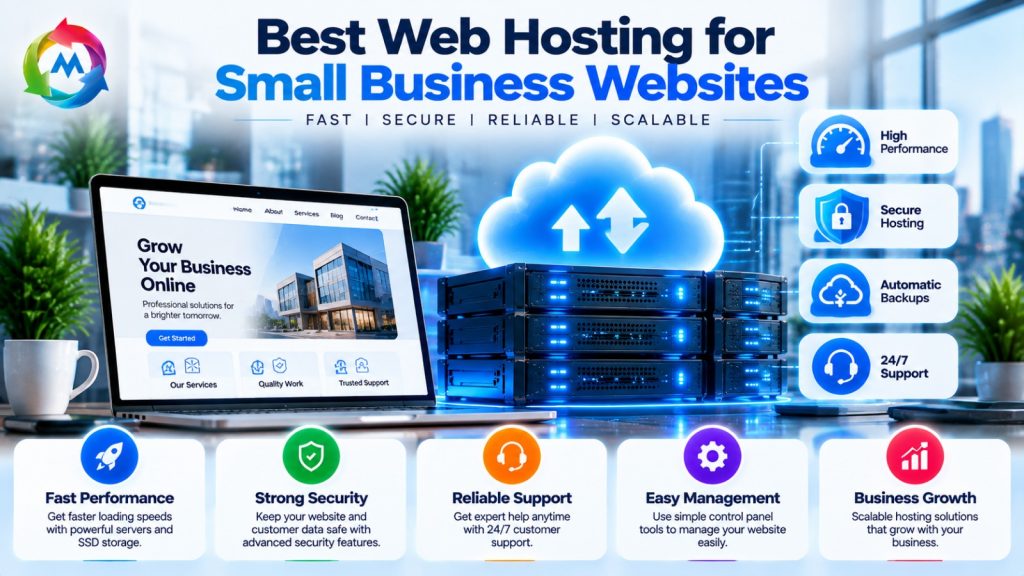
Best Web Hosting for Small Business Websites
Choosing the best web hosting for small business websites is an important step in building a successful online presence. Whether you run a local shop, a service company, a startup, or an online store, your website needs hosting that keeps it accessible, secure, and responsive.
However, not every business needs an expensive hosting plan. The right choice depends on your website’s purpose, expected visitors, technical requirements, and budget. Therefore, understanding the available hosting options can help you select a plan that supports your business today and as it grows.
In this guide, we explain the main types of web hosting, the features to look for, and how to choose a suitable hosting solution for your small business.
Why Small Businesses Need Reliable Web Hosting
A business website often acts as the first point of contact between a company and its customers. Visitors may use it to learn about your services, find contact information, view products, or submit inquiries.
Reliable web hosting helps keep your website accessible when customers need it. In addition, suitable hosting can provide resources for your website to load efficiently and support secure online interactions.
Here are some reasons why hosting matters for small businesses:
- Website availability: Helps customers access your website when they need information.
- Website performance: Suitable server resources can help pages load efficiently.
- Security: Hosting may include SSL support, backups, firewalls, and other security features.
- Customer confidence: A well-maintained website supports a professional online presence.
- Business growth: Scalable hosting options allow you to upgrade as your website’s needs change.
As a result, choosing hosting is not only a technical decision. It is also part of planning your business’s online services.
Types of Web Hosting for Small Businesses
Hosting providers offer different services to meet different website requirements. Before choosing a plan, learn how the main hosting types work.
1. Shared Hosting
Shared hosting allows multiple websites to use resources on the same physical server. The hosting provider manages the server environment, so website owners do not need to maintain the underlying infrastructure.
This option can suit small business websites, personal websites, blogs, and portfolios with modest resource needs.
Benefits of shared hosting:
- Usually has a lower starting cost.
- Often includes an easy-to-use control panel.
- Requires less server administration.
- Can provide a convenient starting point for new websites.
Considerations:
- Server resources are shared among multiple customers.
- Some plans limit storage, websites, or other resources.
- Heavy traffic or resource use may require an upgrade.
For many small businesses with a simple website, shared hosting can provide the features they need without unnecessary complexity.
2. VPS Hosting
Virtual Private Server (VPS) hosting divides a physical server into separate virtual environments. Each VPS receives allocated resources and usually provides more control than a standard shared hosting plan.
VPS hosting may suit businesses that run larger websites, custom applications, or services that require specific server settings.
Benefits of VPS hosting:
- Allocated virtual server resources.
- More control over server configuration.
- Greater flexibility for certain applications.
- An upgrade option as resource needs increase.
Considerations:
- Typically costs more than entry-level shared hosting.
- Unmanaged VPS plans require technical knowledge.
- Server maintenance and security responsibilities depend on the service.
Therefore, consider VPS hosting when your website needs more control or resources than your current shared plan provides.
3. Cloud Hosting
Cloud hosting uses resources from a network of connected servers, depending on the provider’s infrastructure. Some cloud hosting services can adjust resources as website demands change.
This option may suit businesses that experience changing traffic levels or need a flexible hosting environment.
Benefits of cloud hosting:
- Flexible resource options, depending on the plan.
- Potential to scale as demand changes.
- Different infrastructure and availability designs.
- Options for websites with varying resource requirements.
Considerations:
- Pricing can depend on resource usage and plan features.
- Some services require technical configuration.
- The actual level of availability depends on the provider’s architecture.
Cloud hosting can be useful for growing businesses, but review the pricing model and included support before choosing a plan.
4. Managed WordPress Hosting
Managed WordPress hosting is designed specifically for websites built with WordPress. The provider may handle some technical tasks, such as server optimization, WordPress updates, security features, and backups.
This hosting type can suit businesses that use WordPress and prefer less server administration.
Benefits of managed WordPress hosting:
- WordPress-focused setup and tools.
- Simplified website management.
- May include automatic updates and backups.
- May provide WordPress-specific support.
Considerations:
- May cost more than basic shared hosting.
- Some plans limit plugins or server configurations.
- Features vary by provider.
If your business website uses WordPress, compare managed hosting with regular shared hosting to see whether the additional services justify the cost.
Important Features of the Best Web Hosting for Small Business
The best web hosting for small business websites should match your actual needs instead of simply offering the largest feature list. Review these essential factors before making a decision.
1. Uptime and Availability
Uptime refers to the time your website remains accessible. Hosting providers may publish uptime commitments, but actual availability can vary due to maintenance, network problems, or other incidents.
For example, a 99.9% uptime commitment allows for approximately 8.76 hours of downtime over a 365-day year. Therefore, review the provider’s uptime terms and any service-level agreement before purchasing.
2. Website Speed and Performance
Website speed affects how visitors experience your business website. Slow pages can make it harder for customers to browse products, read service information, or complete forms.
To support performance, look for hosting plans with suitable CPU and memory resources, efficient storage, and caching options. In addition, optimize your website’s images, themes, plugins, and code.
Hosting is one part of website performance. Your website’s design and configuration also play an important role.
3. Security Features
Security helps protect your website, business information, and visitors. Choose a hosting plan that supports essential security practices.
Look for features such as:
- SSL/TLS certificates for HTTPS.
- Server and account security controls.
- Firewall options.
- Malware scanning, where available.
- Secure access methods.
- Regular security maintenance.
However, hosting features alone cannot prevent every attack. Keep your website software updated and use strong passwords with multi-factor authentication where possible.
4. Backup and Recovery
Backups help you recover your website if files are deleted, an update causes problems, or data becomes unavailable.
Before choosing a hosting plan, check:
- How frequently the provider creates backups.
- How long backup copies are retained.
- Whether you can restore files and databases yourself.
- Whether backups cost extra.
- Whether you can keep a separate copy outside your hosting account.
Additionally, test your restoration process so you know how to recover your website when needed.
5. Customer Support
Technical problems can affect your business website, so accessible support can be valuable. Review the provider’s support channels and the types of issues its team can handle.
For example, some providers offer live chat, ticket support, or phone assistance. Check their support hours and whether technical support is included in your selected plan.
6. Storage and Resources
Your hosting plan should provide enough storage and server resources for your website’s content and expected traffic.
A simple company website may need fewer resources than an online store with product images, customer accounts, and frequent orders. Therefore, estimate your current requirements and consider how they may change over time.
Also, review any limits on databases, email accounts, websites, or CPU usage.
7. Scalability
As your business grows, your website may attract more visitors and require additional resources. Choose a provider that offers a clear upgrade path from your current plan.
For example, you may start with shared hosting and later move to VPS or cloud hosting if your website needs more resources or control.
A clear upgrade path can help you expand your website without changing providers unnecessarily.
8. Pricing and Renewal Costs
Hosting prices vary based on the provider, plan, billing period, and included features. Some providers advertise discounted introductory prices that increase when the plan renews.
Before purchasing, compare the initial price with the renewal price. Also, check whether SSL, backups, email, domain registration, and migration are included or charged separately.
This helps you understand the ongoing cost rather than focusing only on the first payment.
Which Web Hosting Is Suitable for Your Small Business?
Different websites need different hosting features. Use this table to identify a suitable starting point for your requirements.
| Business website type | Hosting option to consider | Main reason |
|---|---|---|
| Small company website | Shared hosting | Simple setup and basic resources |
| Business blog | Shared or managed WordPress | Convenient content management |
| WordPress service website | Shared or managed WordPress | WordPress-focused tools |
| Growing online store | Managed WordPress, cloud, or VPS | More resources and flexibility |
| Custom business application | VPS or cloud hosting | More configuration control |
| Multiple client websites | Reseller or VPS hosting | Centralized management options |
These are general starting points, not fixed rules. Your website’s traffic, software, resource use, and technical support needs should guide the final decision.
How to Choose the Right Web Hosting Plan
Before purchasing web hosting for your small business, follow these steps:
- Identify your website’s purpose: Decide whether you need a company website, blog, online store, or custom application.
- Estimate your resource needs: Consider storage, expected visitors, databases, and website features.
- Choose a hosting type: Compare shared, VPS, cloud, and managed WordPress hosting.
- Review security and backups: Confirm which security features are included and what you need to manage yourself.
- Compare support services: Check support availability and technical assistance.
- Calculate the full cost: Review introductory prices, renewal fees, and optional extras.
- Plan for growth: Check whether you can upgrade resources when your website expands.
By following these steps, you can compare plans based on your actual business requirements.
Common Web Hosting Mistakes Small Businesses Should Avoid
Choosing hosting without reviewing the details can lead to unnecessary costs or technical difficulties. Avoid these common mistakes:
- Selecting a plan based only on its lowest introductory price.
- Paying for server resources your website does not need.
- Ignoring renewal fees and additional charges.
- Overlooking backup and restoration options.
- Assuming that SSL alone provides complete website security.
- Choosing a plan without checking its resource limits.
- Failing to review the available technical support.
- Ignoring the provider’s upgrade options.
Instead, compare the full service and select a plan that meets your current needs while allowing room for future growth.
Is Affordable Web Hosting Suitable for Small Businesses?
Affordable hosting can be suitable for small businesses, especially when a website has modest traffic and simple requirements.
For example, a local service company that mainly shares its contact details, services, and business information may not need an advanced VPS. A suitable shared hosting plan can provide the necessary environment at a lower cost.
However, affordability should not be the only factor. Review the plan’s storage, security features, backup options, support, and renewal pricing. In addition, consider how easily you can upgrade if your website grows.
Conclusion
The best web hosting for small business websites depends on your website’s purpose, technical needs, expected traffic, and budget. Shared hosting may suit simple websites, while managed WordPress, VPS, and cloud hosting can support other requirements.
Before choosing a provider, compare performance, uptime commitments, security, backups, support, resource limits, and renewal costs. As a result, you can choose a hosting plan that supports your business without paying for unnecessary services.
If you are planning to launch a business website, explore MSoft Host for web hosting solutions. You can also visit our Domain Registration page to register a domain for your business.
For additional guidance, read this MDN guide to web servers to understand how web servers deliver website content.