
Cloud Hosting vs Shared Hosting: Key Differences
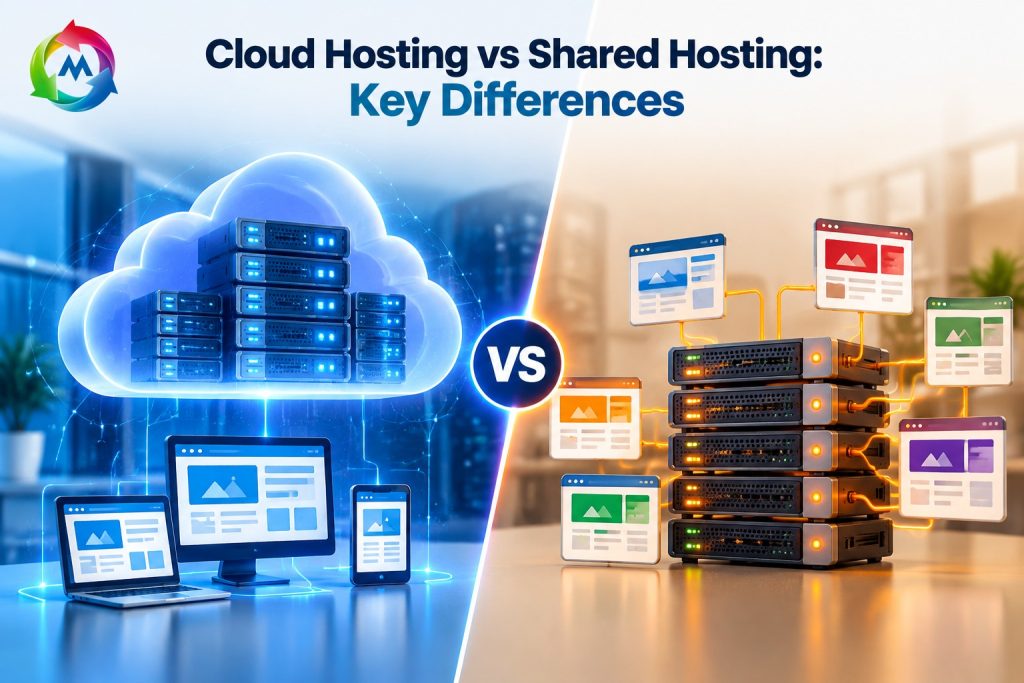
Cloud Hosting vs Shared Hosting: Key Differences
Choosing the right web hosting service is an important step when building a website. Your hosting affects website speed, security, cost, and performance. However, with so many hosting options available, it can be difficult to know which one to choose.
Cloud Hosting vs Shared Hosting is a common comparison for individuals, startups, and businesses. Both options allow you to publish a website online. However, they work in different ways and offer different levels of resources, flexibility, and control.
In this guide, you will learn how cloud hosting and shared hosting work. You will also explore their main differences, benefits, costs, and uses to help you select a suitable hosting plan.
What Is Shared Hosting?
Shared hosting is a web hosting service where several websites use resources from the same server. These websites share resources such as memory, processing power, and storage, based on the limits of their hosting plans.
For example, a small business website and a personal blog may run on the same physical server. The hosting provider manages the server, so website owners do not need to handle most technical tasks.
Shared hosting is often affordable and easy to use. Therefore, it can be a suitable option for beginners, personal websites, blogs, and small businesses.
However, the available resources are limited. If a website uses too much server capacity, it may affect performance or lead to resource limits for other websites on the same server.
What Is Cloud Hosting?
Cloud hosting uses a network of connected servers or virtual server resources to host websites and applications. Instead of relying only on one physical server, some cloud hosting systems can use resources from several machines.
This setup can offer more flexibility. For example, a website may be able to increase its resources when visitor traffic grows. Some cloud platforms can also move workloads between servers to help maintain availability.
Cloud hosting is useful for growing businesses, online stores, and websites with changing traffic. In addition, some plans offer flexible resource settings and pricing based on usage.
However, cloud hosting services are not all the same. Their features, costs, management options, and reliability depend on the provider and the architecture of the service.
Cloud Hosting vs Shared Hosting: Key Differences
Cloud hosting and shared hosting both make websites available online. However, they differ in how resources are provided, how easily they can grow, and how costs are managed.
| Feature | Shared Hosting | Cloud Hosting |
|---|---|---|
| Server setup | Several websites share a server | Uses cloud-based server resources |
| Cost | Usually lower and fixed | Varies by provider and plan |
| Resources | Shared within plan limits | May offer flexible or scalable resources |
| Scalability | Often requires a plan upgrade | Often easier to scale |
| Performance | Depends on shared server resources | Depends on cloud setup and allocated resources |
| Reliability | Depends on the hosting server and provider | May use multiple servers for improved resilience |
| Management | Usually beginner-friendly | Varies from managed to self-managed |
| Control | Limited server control | Often offers more configuration options |
| Suitable for | Small websites and blogs | Growing websites and variable workloads |
1. Performance and Website Speed
Website speed affects how visitors use your website. A fast website makes it easier for users to browse pages, view products, and access information.
With shared hosting, several websites use resources from the same server. Therefore, heavy activity on the server can sometimes affect your website’s speed, depending on how the provider manages resources.
Cloud hosting can provide more flexible resources and different server configurations. As a result, it may support websites that need additional processing power or handle changes in visitor traffic.
However, cloud hosting does not automatically make every website faster. Your website’s code, images, caching, and server configuration also play important roles.
2. Cost and Pricing
Cost is an important factor when choosing web hosting. Shared hosting plans are often available at a lower monthly or yearly price because server costs are shared among many customers.
This makes shared hosting an option for individuals and small businesses with limited budgets. In addition, many plans include a control panel, email features, and basic website tools.
Cloud hosting can use different pricing models. Some plans have fixed monthly fees, while others charge based on the resources you use.
Therefore, check the pricing details carefully before choosing cloud hosting. Extra resources, storage, backups, and other services may increase the total cost.
3. Scalability and Business Growth
Scalability means the ability to increase or reduce resources as your website needs change.
Shared hosting usually comes with set resource limits. If your website grows and needs more power, you may have to upgrade to a larger plan or move to another hosting type.
Cloud hosting often offers more flexible scaling options. For example, a growing online store may be able to add more memory or processing power as visitor numbers increase.
As a result, cloud hosting can be useful for businesses that expect changes in traffic. Still, scaling options depend on the specific cloud service and may involve additional costs.
4. Security and Data Protection
Website security is important for every business. Both shared and cloud hosting providers may offer security features, such as firewalls, SSL support, monitoring, and backups.
With shared hosting, multiple websites use the same server environment. Providers use controls to separate customer accounts, but website owners must still protect their own websites with strong passwords, regular updates, and secure plugins.
Cloud hosting can provide additional security tools and flexible network controls, depending on the provider. However, security is not automatic. Customers may still need to manage website software, access settings, and backups.
Therefore, compare the security features included in each hosting plan rather than choosing based on the hosting type alone.
5. Reliability and Uptime
Reliability refers to how consistently your website remains available to visitors. Downtime can interrupt customer activity and affect business operations.
Shared hosting relies on the provider’s server setup. If the server has a problem, websites hosted on it may become unavailable.
Some cloud hosting platforms use multiple servers or backup systems to reduce the effect of hardware problems. This can improve resilience when properly configured.
However, cloud hosting does not guarantee zero downtime. Check the provider’s uptime terms, monitoring, backup options, and support process before choosing a plan.
6. Ease of Use and Management
Shared hosting is generally designed to be simple for beginners. Many plans include a control panel such as cPanel, which helps users manage website files, databases, email accounts, and domains.
Cloud hosting can be simple too, especially when the provider offers managed services. However, some cloud plans require users to configure servers, install software, and manage security settings.
For this reason, consider your technical skills and the amount of time you can spend managing your website. A managed service may be useful if you want support with server maintenance.
7. Which Hosting Is Suitable for Your Website?
The right hosting option depends on your website’s size, traffic, budget, and technical needs.
Shared Hosting May Suit You If:
- You are launching a new website.
- You run a small business website or personal blog.
- Your website receives low or moderate traffic.
- You have a limited hosting budget.
- You prefer a simple hosting control panel.
Cloud Hosting May Suit You If:
- Your website traffic changes often.
- You run a growing online store or web application.
- You need flexible server resources.
- You expect your website to grow.
- You need cloud-based tools or configurations.
In addition, review the actual features of each plan. A well-managed shared hosting plan may meet the needs of a small website, while some cloud plans may be more complex or costly than necessary.
Benefits of Shared Hosting
Shared hosting remains a common choice for websites with modest needs. Its main benefits include:
- Affordable pricing: Shared server costs can make plans less expensive.
- Easy setup: Many providers offer simple installation tools.
- Simple management: Control panels help users manage common website tasks.
- Basic features: Plans may include email, databases, and SSL support.
- Suitable for beginners: Users do not usually need advanced server skills.
However, resource limits and less control may make shared hosting less suitable as a website grows.
Benefits of Cloud Hosting
Cloud hosting offers several features that can help websites with changing or growing needs.
- Flexible resources: Some services let users adjust resources as needed.
- Scalability: Resources can often be increased more easily than with fixed plans.
- Resilience options: Some cloud setups use multiple servers to reduce single-server risks.
- Configuration choices: Depending on the service, users may have more control over their environment.
- Support for changing workloads: Cloud infrastructure can be useful for websites with varying traffic.
However, costs and management needs can vary. Therefore, check the service details before making a decision.
Common Mistakes When Choosing Hosting
Choosing a hosting plan only by its name or price can lead to problems later. Instead, review the features that matter to your website.
Avoid these common mistakes:
- Selecting a plan without checking resource limits.
- Ignoring renewal prices and additional charges.
- Assuming cloud hosting always provides better speed.
- Overlooking backups and SSL support.
- Choosing a complex service without the skills to manage it.
- Failing to consider future website growth.
By comparing your needs with the actual plan features, you can avoid unnecessary expenses and reduce the chance of performance problems.
Conclusion
Cloud Hosting vs Shared Hosting comes down to your website’s needs, budget, traffic, and management preferences.
Shared hosting can provide an affordable and simple way to start a website. On the other hand, cloud hosting can offer more flexible resources and scaling options for websites with changing needs.
Before choosing a plan, compare performance, resource limits, security, support, backups, and total cost. This will help you select a hosting service that suits your website today and supports its future growth.
If you are planning to launch a website, visit MSoft Host to explore its hosting services. You can also learn more about domain registration for your website.
Frequently Asked Questions
Is cloud hosting better than shared hosting?
Both hosting types serve different needs. Shared hosting is often suitable for smaller websites with limited resource needs, while cloud hosting may offer more flexibility for websites that need to scale.
Is shared hosting good for small businesses?
Yes, shared hosting can suit many small business websites, especially those with modest traffic and basic features. Check the plan’s storage, resource limits, security, and support before purchasing.
Is cloud hosting more expensive than shared hosting?
Cloud hosting can cost more, but pricing depends on the provider, resources, and service model. Some cloud plans use fixed prices, while others charge based on usage.
Can I move from shared hosting to cloud hosting?
Yes, many websites can be migrated from shared hosting to cloud hosting. The process involves moving website files and databases, updating configuration, and checking DNS and SSL settings.
Which hosting is suitable for WordPress?
Both shared and cloud hosting can run WordPress if they meet its system requirements. Your choice depends on website traffic, resource needs, budget, and the level of server management you prefer.
Does cloud hosting improve website speed?
Cloud hosting may improve performance when it provides more suitable resources or a better server setup. However, website optimization, caching, and efficient code are also important for loading speed.