




What Is Shared Hosting and How Does It Work?
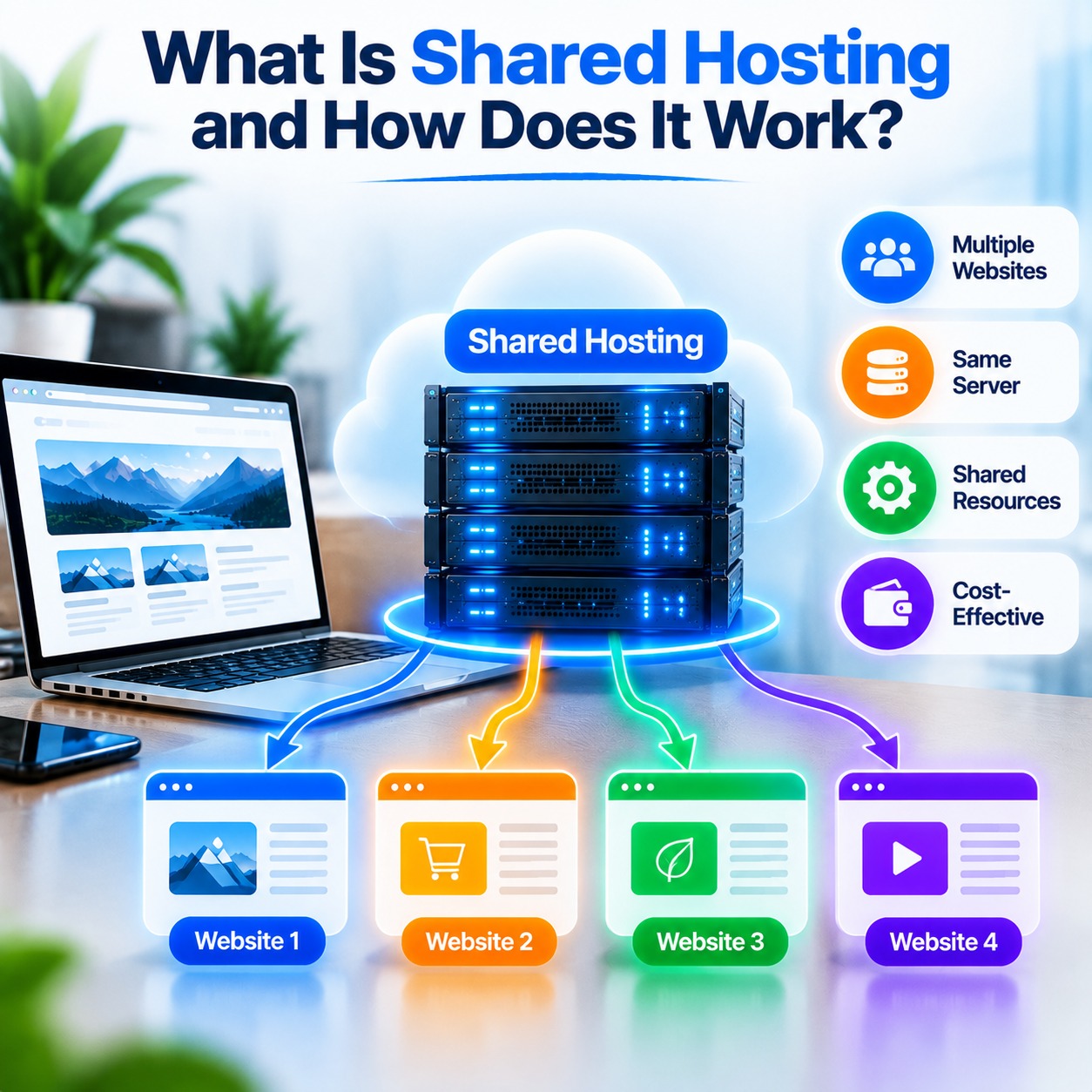
Shared hosting is a web hosting service that allows multiple websites to use the resources of one physical server. It is a common option for beginners, bloggers, freelancers, and small businesses because it offers an accessible way to publish a website without managing an entire server.
If you are planning to create a business website, personal blog, portfolio, or small online store, this hosting option may meet your needs. The provider manages the server infrastructure, while you manage your website through a control panel.
In this guide, you will learn how shared hosting works, its main benefits and limitations, and how to choose a suitable plan for your website.
What Is Shared Hosting?
Shared hosting is a service in which multiple websites are stored and operated on the same physical server. These websites share resources such as the Central Processing Unit (CPU), Random Access Memory (RAM), storage, and network capacity.
Each customer usually receives a separate hosting account to manage their website files, databases, email accounts, and settings. Although the underlying server is shared, account permissions and security controls help separate each customer’s data.
Because the server’s operating and maintenance costs are distributed among multiple customers, this service is generally more affordable than renting an entire physical server.
For example, a small company can use this solution to publish its business website without purchasing server hardware or managing complex server configurations.
How Does Shared Hosting Work?
This hosting environment allows several websites to operate on one physical machine while sharing its available resources. The provider maintains the server, operating system, web server software, and underlying infrastructure.
Here is how the process works:
1. Purchase a Hosting Plan
First, choose a suitable plan from a hosting provider. The provider creates an account and gives you access to the resources and management tools included in your package.
Depending on the plan, these may include website storage, databases, email accounts, SSL support, and a control panel.
2. Upload Your Website Files
After activating your account, upload your website files using a control panel, file manager, or supported file transfer method.
These files may include HTML, CSS, JavaScript, images, PHP scripts, and other application files. If your website uses a database, its information is stored separately in a database system.
3. Connect Your Domain Name
A domain name is the address visitors enter into their browsers to access your website. You connect it to your hosting account by configuring its Domain Name System (DNS) settings.
DNS helps browsers locate the server associated with your domain name.
4. Process Visitor Requests
When someone visits your website, their browser sends a request to the server. The web server identifies the requested domain and locates the correct website files.
If your website uses a dynamic platform such as WordPress, the server may execute PHP code and retrieve information from a database to generate the requested page.
5. Deliver the Website
After processing the request, the server sends the necessary content, such as HTML, CSS, JavaScript, and images, to the visitor’s browser.
The browser then displays the website, allowing visitors to read articles, explore services, browse products, or use other features.
Although several websites operate on the same physical server, the server software directs each request to the appropriate website account.
What Resources Are Shared?
The available resources depend on the provider and the plan you select.
CPU
The CPU processes instructions and application requests. Websites use CPU resources when loading pages, running scripts, and performing database tasks.
RAM
RAM is temporary memory used by applications and server processes. Websites with dynamic content or resource-intensive plugins may require more memory.
Storage
Storage holds website files, images, databases, email messages, and other data. Plans may limit how much storage each account can use.
Bandwidth
Bandwidth refers to the amount of data transferred between the server and visitors. Large images, downloadable files, and high visitor activity can increase data transfer.
Providers may also set resource limits or fair-use policies to maintain server capacity. Review these terms before purchasing a plan.
Benefits of Shared Hosting
This type of service can be useful for website owners who want a straightforward way to establish an online presence.
1. Affordable Pricing
The cost of server infrastructure is distributed among multiple customers, which generally makes these plans less expensive than VPS or dedicated hosting.
This can be useful for individuals, startups, and small businesses with limited budgets.
2. Easy to Manage
Many providers include a graphical control panel, such as cPanel or another hosting management interface.
You can use it to upload files, create databases, manage email accounts, configure domains, and install applications without advanced server administration skills.
3. Less Server Maintenance
The provider usually manages the physical server, operating system, and core server software. This reduces the technical maintenance required from customers.
However, website owners still need to manage their website content, application updates, passwords, and backups according to their plan.
4. Beginner-Friendly Setup
The setup process is often straightforward. Some providers offer application installers and technical support to help customers get their websites online.
This can make it a convenient starting point for people who are creating their first website.
5. Supports Popular Platforms
Many plans support content management systems and applications such as WordPress and other PHP-based platforms.
Before selecting a package, check its supported software and technical specifications. WordPress publishes its current hosting recommendations on its official requirements page.
6. Convenient Website Management
A control panel can bring common tools for managing files, databases, domains, SSL certificates, and email accounts together in one place.
This is helpful for website owners who prefer graphical tools instead of command-line server administration.
Disadvantages of Shared Hosting
While this solution has several advantages, it also has limitations to consider.
1. Limited Resources
Each account may have limits on CPU usage, memory, storage, processes, and other resources. Websites that need more capacity may reach these limits or experience slowdowns.
2. Variable Performance
Performance can vary depending on server capacity, account limits, website configuration, and overall server activity.
Providers use resource management controls to reduce the impact of heavy usage, but this environment may not suit every high-traffic website.
3. Limited Server Control
The provider manages the underlying server. Customers generally cannot make unrestricted changes to the operating system, install arbitrary server software, or access full root privileges.
This may be restrictive for developers who require custom server configurations.
4. Not Suitable for Every Large Website
Large online stores, high-traffic platforms, and resource-intensive applications may need more resources or greater control.
Depending on their requirements, these websites may need to consider VPS, cloud, or dedicated hosting.
5. Usage Restrictions
Providers may set rules for resource usage, supported applications, email sending, and other activities.
Review the service terms to understand what is allowed and when an upgrade may be necessary.
Who Should Use This Hosting Option?
It can be suitable for websites with modest resource requirements and customers who prefer a managed server environment.
Common examples include:
- Small business websites: Company websites that display services, contact information, and business details.
- Personal blogs: Websites that publish articles, stories, and other content.
- Portfolio websites: Sites used by freelancers, designers, developers, and other professionals.
- Startup websites: New businesses establishing their first online presence.
- Informational websites: Sites that provide information about organizations, projects, or services.
- Small WordPress websites: Sites that do not require extensive server resources.
A growing online store or complex web application may need additional resources or more server control. Assess your website’s requirements before selecting a hosting type.
Shared Hosting vs VPS Hosting
Both options allow you to publish a website without buying physical server hardware, but they offer different levels of resources and control.
| Feature | Shared Hosting | VPS Hosting |
|---|---|---|
| Server environment | Shared physical server | Virtual server on a physical host |
| Resources | Shared, with plan limits | Allocated virtual resources |
| Cost | Generally lower | Generally higher |
| Server control | Limited | Greater control |
| Technical skills | Usually basic | May require more skills |
| Custom configuration | Limited | More flexible |
| Common use | Small websites and blogs | Growing websites and applications |
A simple website with modest traffic may work well with a basic plan. A website that needs custom software, more resources, or greater configuration control may require a VPS.
How to Choose a Suitable Hosting Plan
Before purchasing a plan, compare its features with your website’s current and expected needs.
1. Check Storage and Resource Limits
Review storage capacity, CPU usage, memory limits, and other restrictions. Select a package that can support your website without exceeding its allocated resources.
2. Review Software Support
Make sure the plan supports the technologies your website uses, such as PHP, MySQL, or WordPress. Check software version compatibility if your project has specific requirements.
3. Look for SSL Support
An SSL/TLS certificate enables HTTPS, which encrypts the connection between your website and its visitors. Check whether SSL is supported and how certificates are installed and renewed.
4. Check Backup Options
Find out how often backups are created, how long they are retained, and how you can restore your website if something goes wrong.
For important websites, consider keeping an additional backup outside your hosting account.
5. Compare Control Panels
Check whether the plan includes cPanel or another management interface. Make sure it supports tasks such as file management, database creation, email setup, and application installation.
6. Review Technical Support
Check the provider’s support channels, availability, and the types of technical issues covered by the service.
7. Understand the Pricing
Compare the introductory price with the renewal price. Also, review possible additional costs for domains, migrations, backups, or optional services.
8. Check Upgrade Options
Consider whether the provider offers a clear upgrade path if your website grows and requires more resources or a different hosting environment.
Is Shared Hosting Secure?
A provider may offer security features such as account isolation, firewalls, server updates, and malware scanning. The exact protections depend on the provider and plan.
Website owners also have a role in protecting their accounts and applications. Follow these basic security practices:
- Use strong and unique passwords.
- Enable two-factor authentication where available.
- Keep your CMS, themes, and plugins updated.
- Use HTTPS.
- Limit administrative access.
- Create regular backups.
- Remove unused applications and plugins.
Security is a shared responsibility between the provider and the website owner. No hosting plan can guarantee complete protection against every threat.
How to Get Started
If you are new to website hosting, follow these steps to launch your website:
- Register a domain name: Choose an address that suits your business, project, or personal website.
- Choose a hosting plan: Compare resources, security features, support, and pricing.
- Connect your domain: Configure its DNS settings according to the provider’s instructions.
- Install your website platform: Use an application installer or upload your own website files.
- Set up HTTPS: Install or activate an SSL/TLS certificate.
- Build your website: Add pages, images, products, articles, or other content.
- Test your website: Check links, forms, appearance, and performance on desktop and mobile devices.
- Maintain your website: Keep software updated and follow a regular backup schedule.
These steps can help you establish an online presence while keeping the setup manageable.
Common Mistakes to Avoid
When choosing or managing a hosting plan, avoid these common mistakes:
- Selecting a plan based only on its lowest price.
- Ignoring CPU, memory, and storage limits.
- Not checking whether required software is supported.
- Forgetting to review renewal costs.
- Assuming backups are included without checking the policy.
- Installing unnecessary plugins or applications.
- Using weak passwords for hosting accounts.
- Failing to plan for future website growth.
Reviewing your website requirements and the provider’s service terms can help you avoid unexpected limitations.
Conclusion
Shared hosting provides a way for beginners, bloggers, freelancers, and small businesses to make their websites available online without managing a complete physical server. It is generally affordable, convenient to manage, and supports many popular website platforms.
However, resource limits and restricted server control mean it may not meet the needs of every large website or complex application. Before choosing a plan, compare the available resources, security features, backup policy, technical support, and pricing.
If you are looking for web hosting services for your website, visit MSoft Host to explore available options. You can also visit the domain registration page to learn more about registering a domain name.
Frequently Asked Questions
What Is Shared Hosting in Simple Words?
It is a web hosting service where multiple websites use the resources of one physical server. Each website has its own hosting account, while the server infrastructure is shared.
How Does It Work?
The provider stores multiple websites on a server. When a visitor opens a domain, the server identifies the requested website, processes the request, and sends the required content to the visitor’s browser.
Is It Good for Beginners?
It can be suitable for beginners because it is generally affordable, easy to manage, and does not require customers to maintain the server themselves.
Is It Suitable for WordPress?
Many plans support WordPress and provide the PHP and database technologies it needs. Check the provider’s current technical specifications and resource limits before purchasing.
Can Multiple Websites Use One Hosting Account?
Some plans allow multiple websites or domains under one account, while others restrict the number of websites. Check the features and limits of the package you are considering.
Is It Secure?
Providers may offer account isolation, server security, and other protections. Website owners should also use secure passwords, update their applications, and maintain backups.
What Is the Difference Between Shared and VPS Hosting?
The first option places multiple websites on a common server with shared resources. VPS hosting provides a virtual server with allocated resources and typically greater configuration control.
When Should I Upgrade?
Consider upgrading when your website regularly reaches its resource limits, requires custom server settings, or needs more capacity than the current plan can provide.
Does It Include a Domain Name?
Some plans include a domain registration offer, while others require you to purchase a domain separately. Review the plan terms before signing up.